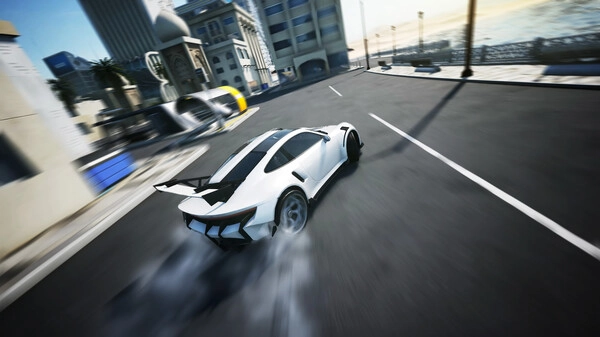
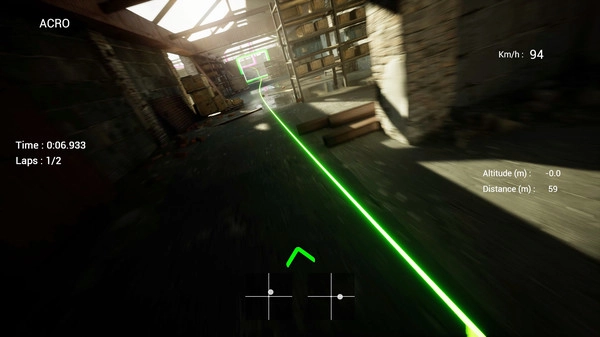
If you have ever wanted to experience the high-speed thrill of piloting an FPV (First Person View) drone without risking expensive real-world equipment, Uncrashed : FPV Drone Simulator is the ultimate digital playground. Developed by Luminite, this simulator is meticulously designed to bridge the gap between virtual flying and actual drone piloting. It caters to both absolute beginners looking to learn the ropes and seasoned pilots aiming to practice complex freestyle maneuvers safely. While it has been widely acclaimed by PC gamers for its stunning physics engine and hyper-realistic environments, the simulator is also making waves in the mobile emulation community. Thanks to modern PC emulation tools like Winlator, Android users can now harness the power of their smartphones to run this high-end simulator. Whether you are using a powerful desktop rig or taking your flight training on the go with Winlator, the game offers an unparalleled and authentic experience.
Gameplay
The core of Uncrashed : FPV Drone Simulator lies in its highly accurate physics and extensive customization options, giving you full control over how your virtual drone handles in the air. You can tweak gravity, air friction, and propeller efficiency to perfectly match your real-life drone build. The simulator features numerous massive, highly detailed maps ranging from expansive parks to intricate abandoned industrial sites, providing the perfect backdrop for high-speed races or smooth freestyle sessions. A significant aspect of the gameplay is its strict requirement for a controller—playing with a keyboard and mouse is not supported, ensuring that your muscle memory translates directly to real radio transmitters. PC users can easily plug in their standard drone controllers, while Winlator users can utilize Bluetooth gamepads or OTG connections to get that exact same precision on their mobile setups, making every dive, flip, and roll feel incredibly authentic.
System Requirements
| Platform | Minimum Specifications | Recommended Specifications |
|---|---|---|
| PC (Windows) | CPU: Intel Core i5 (2.6 GHz) GPU: NVIDIA GTX 770 (2GB) RAM: 4 GB |
CPU: Intel Core i7 / AMD Ryzen 5 GPU: NVIDIA GTX 1060 (3GB) / equivalent RAM: 8 GB |
| Android (Winlator) | CPU: Snapdragon 865 / MediaTek Dimensity 1200 RAM: 8 GB |
CPU: Snapdragon 8 Gen 2 / MediaTek Dimensity 9200+ RAM: 12 GB or higher |
For PC players using the recommended specifications, the simulator runs beautifully, easily maintaining a rock-solid 60 to 120 FPS. This high frame rate is crucial for the split-second reaction times needed in FPV flying, allowing you to push the graphical settings to the maximum without any stuttering. For Android users running the simulator via Winlator, performance heavily depends on your device's chipset. On minimum mobile specs, you can expect around 30 FPS at lower resolutions, which is manageable for basic hover practice and learning track layouts. However, if you are using a recommended high-end Snapdragon or Dimensity processor, Winlator can deliver a much smoother 45 to 60 FPS experience. This ensures the responsive, low-latency inputs that are essential for pulling off tight gaps and fast-paced maneuvers on the go.
Conclusion
Uncrashed : FPV Drone Simulator stands out as an essential tool and an exhilarating game for anyone interested in the world of FPV drones. By offering incredibly accurate physics, breathtaking environments, and deep customization, it perfectly simulates the adrenaline rush of real-world flying. It is a must-have for PC gamers looking for a highly polished simulation, and thanks to the robust capabilities of Winlator, it proves that desktop-level flight training can now be achieved on modern Android devices. No matter your platform of choice, grabbing a controller and taking to the virtual skies has never been this accessible, safe, or realistic.